Setting up Production Loss Rules on an Asset

You can set up the production loss rules on an asset to calculate the monetary and production impact of downtime.
The current asset’s rules can be used to calculate costs, or the costs can be defined from an ancestor asset. If you decide to use downtime values from an ancestor asset, APM looks up the hierarchy within the current site for the first ancestor asset with downtime defined on it to calculate costs.
Production loss costs can be calculated as the lost production units, a monetary value, or both.
Lost production units: This is the number of units that are not produced while the asset is down. For example, 10 tons.
Monetary costs: This is the lost monetary opportunity. For example, $5,000.
Duration for costs: This is the period of time that the number of lost production units and lost monetary value are based on, for example, 8 hours.
Using these examples, the asset’s production loss costs are 10 tons per 8 hours and $5,000 per 8 hours.
In some cases, you might decide not to calculate costs for downtime incidents, but you still want to record incidents. For example, there might be no lost production costs if a system is built for backup or if the downtime is so variable (the actual cost depends on the specific product that is being produced) that providing a standard cost makes no sense.
You can define two or more production loss equations for an asset to cover different intervals, for example, the first hour of downtime and the subsequent hours. The calculation can also take into account a reduction in production percentage when a full shutdown is not in effect.
A production loss cost equation can record the sequence and duration of the interval, the downtime cost per unit of time, and lost production cost per unit of time. You can select a default equation to be used for the asset.
Production loss equations are available on the asset’s production loss accounting properties, downtime incidents, and failure mode risk analyses in strategy development analyses.
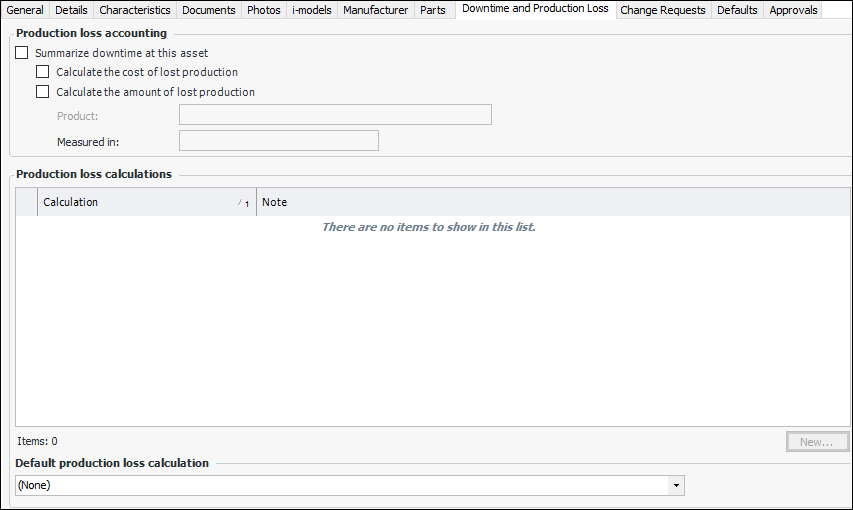
The Downtime and Production Loss tab is available on the Asset window only if the asset type allows production loss accounting rules to be defined on the asset. On this tab, you can select how the downtime costs for the asset are calculated. The asset type determines whether or not production loss rules can be entered, and whether or not downtime incidents can be reported on assets using that asset type.

To Set Production Loss Rules on an Asset
1.
Open the asset, select the Properties view and the Downtime and Production Loss tab.
 
2.
Select Summarize downtime at this asset.
3.
4.
If Calculate the amount of lost production is selected, you can select the product for which production is lost. The product’s unit of measure is displayed.
5.
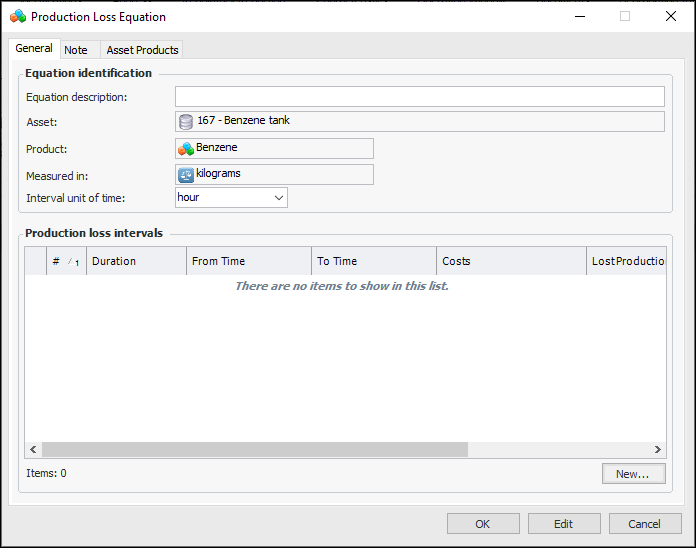
To add a production loss calculation, click New. The Production Loss Equation window appears.
6.
In the Equation Identification area, provide information about the equation:
7.
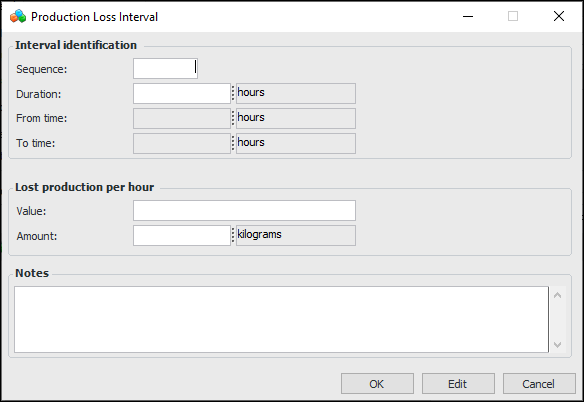
Click New to create a production loss interval. The Production Loss Interval dialog appears. In this example, the cost equation is for both monetary and production units.
8.
Note: APM uses the intervals’ sequence numbers to calculate the “from” and “to” times and displays them. The second interval begins after the first ends, for example.
9.
When you finish defining the interval cost, click OK. The interval is added to the cost equation.
10.
11.
Click OK to close the Production Loss Equation dialog.
12.
Repeat steps 5 to 11 for each calculation you want to create.
13.
Select an equation from the Default production loss calculation list.