Working with Assets and SAP Plant Maintenance Information

If APM has been configured to access live, read-only information in an SAP Plant Maintenance system, you can view SAP functional locations and equipment in the site’s Assets view.
Using APM data loading functionality, you can import equipment and functional locations from SAP as new APM assets. You can also update the assets in APM when their linked functional locations and equipment records change in the SAP system.
You can also manually link an APM asset to an SAP equipment record or functional location, provided the site’s interoperability profile permits it. In the APM asset, you can add a reference to its corresponding SAP object. This topic explains how to add a reference to an SAP object in an APM asset.

SAP Information in the Asset Window

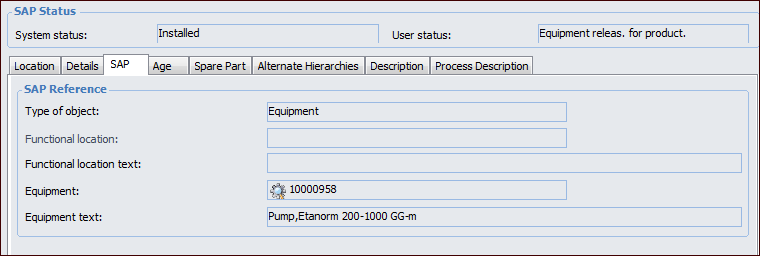
When an APM asset is linked to an SAP equipment or functional location, the following information is added to the Asset window. The Properties view, General tab displays the current SAP system and user statuses. Select the SAP tab to view more information. For example:
The SAP Properties view is added to the Asset window to display the SAP object’s properties. You can also open the Equipment or Functional Location window to view the Asset Properties view.
Note: Windows for SAP equipment records and functional locations that are not linked to APM assets display the Asset Properties view. However, the APM asset table is empty.
In the Asset window, the Reliability Program and Work Management views contain the SAP Functional Location or SAP Equipment tab, depending on the type of object referenced. These tabs contain lists of related SAP information, for example, notifications, maintenance orders, object list, operations, and summaries.

Once linked to an SAP object, the asset’s key properties can become read-only, for example, number, name, classification, status, parent, description, and manufacturer information, depending on the site’s interoperability profile.
If the asset has been imported from SAP, these properties can be updated using data loading to copy information from SAP Plant Maintenance. Values for the asset type and consequence priority properties must be mapped to their SAP equivalents.
Data loading can also be used to synchronize assets’ consequence priorities with the ABC indicators of linked SAP functional locations and equipment. The information is exported to SAP when the results of asset prioritization analysis are applied to assets.
For information about setting up the synchronization, see APM Interoperability Guide for SAP Plant Maintenance. For related information, see Viewing SAP Plant Maintenance Data in APM.

To Manually Add a SAP Reference to an Asset

1.
2.
3.
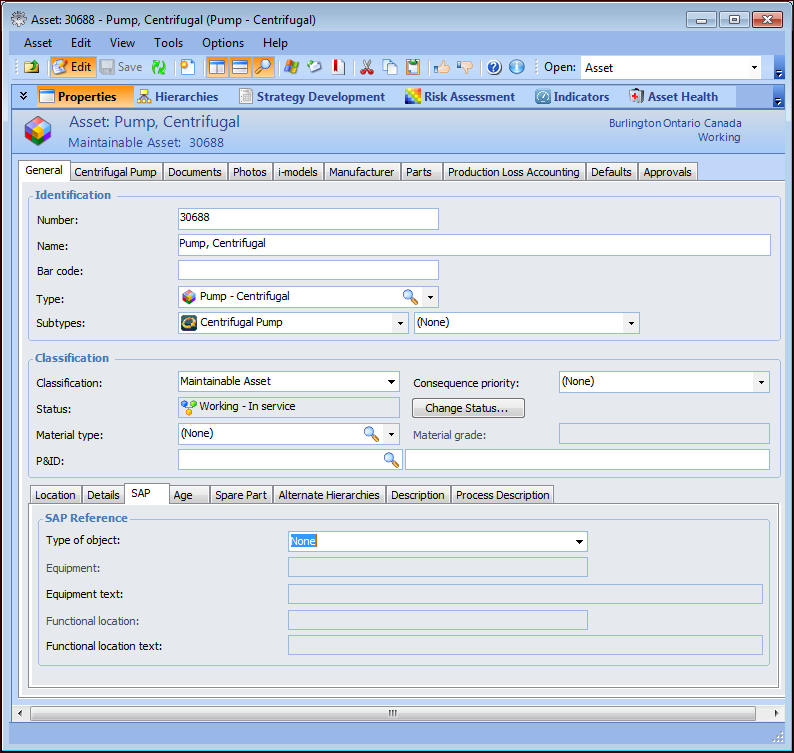
On the Properties view, select the General tab and then the SAP tab.
4.
5.
6.
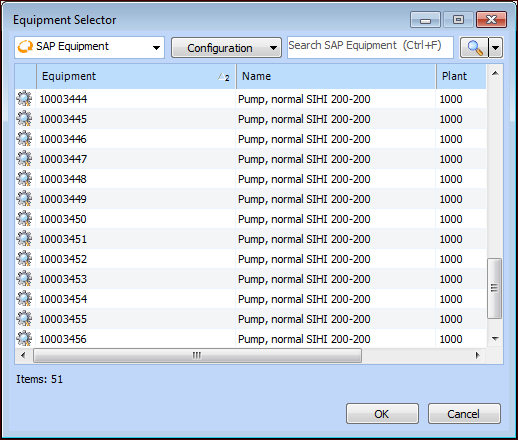
Select the object and click OK. Information about the SAP object is added to the window, including the system and user statuses. For example: