Creating Equipment Removal Requests

Change requests specify updates to be performed on assets in the external CMMS (for example, SAP) that manages assets and work. AssetWise Enterprise Interoperability (AWEIS) conveys requests to the CMMS and returns information to APM. The asset update is performed in the CMMS and then information such as a new equipment number is communicated back to APM, where the interop asset is updated.
Asset Change Request Types provide settings according to the kind of request: construction form update, property change, status change, equipment removal, or priority change. For more information, see Setting up Asset Change Request Types.
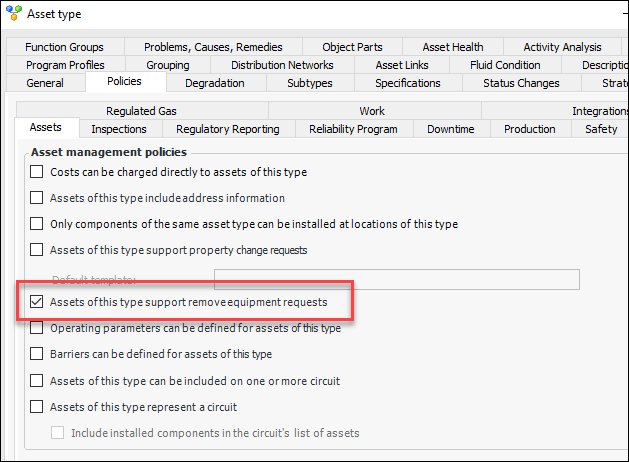
An equipment removal request identifies the asset to be moved, its new location, disposition, and so on. These requests are created manually for the asset, which must have a corresponding asset in the CMMS. The asset type must specify that “Assets of this type support remove equipment requests” in its asset policies. For example:
This topic explains how:

To Create an Equipment Removal Request

1.
Locate the asset for which the request is to be made. For example, Select the Assets view, Physical Hierarchy tab and select the asset in the table.
2.
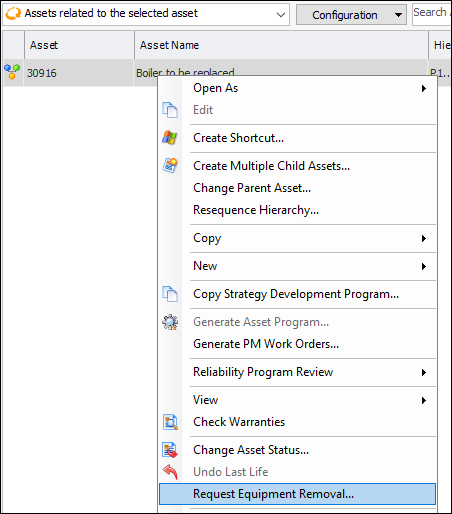
Right-click the asset and click Request Equipment Removal. For example:
Tip: You can also open the Asset window, click the Tools menu, and then click Request Equipment Removal.
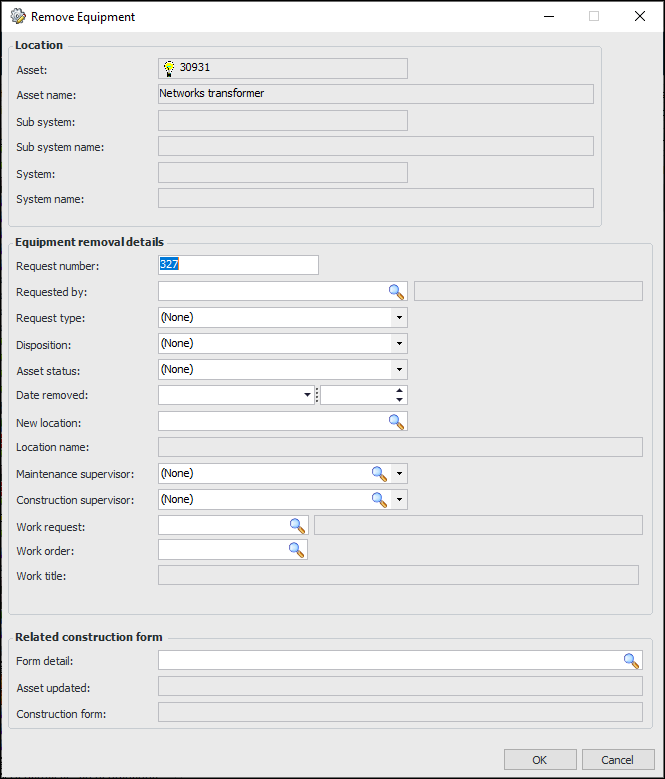
The Remove Equipment dialog appears. For example:
3.
4.
Click OK to save the request and close the dialog.

To View Asset Change Requests

After you have created the change request, you can view it in the Asset window. On the Properties tab, select the Change Requests tab.
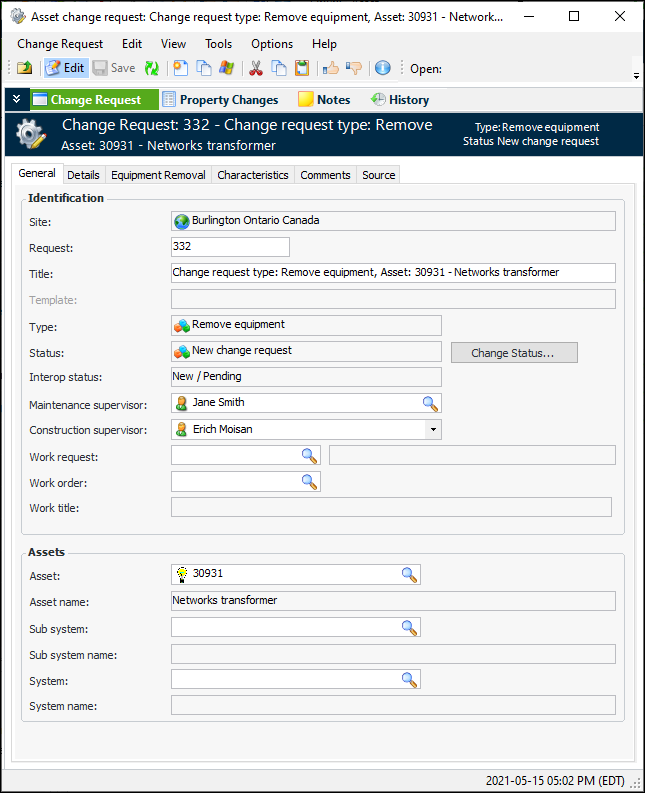
You can open the change request to view and change its request status, monitor its interop status, add comments, and view detailed information. For example:
You can view all change requests for the site in the Assets view, Change Requests tab.