Setting up Regulatory Reporting

When the product feature is enabled, you can track up to three levels of regulatory information for an asset. For example, federal regulations, regional regulations, and industry requirements could be tracked.
Note: This functionality is “generally available” in APM. To use it, you must first enable feature 61. In the Enterprise window, select the Features view and the Enabled Features tab. Click Browse, select “Regulatory reporting tracking support on assets”, and click OK. If APM is running as a smart client, click Refresh Enabled Features on the server. Then restart the client to use the functionality.
Setting up regulatory reporting requires these steps:
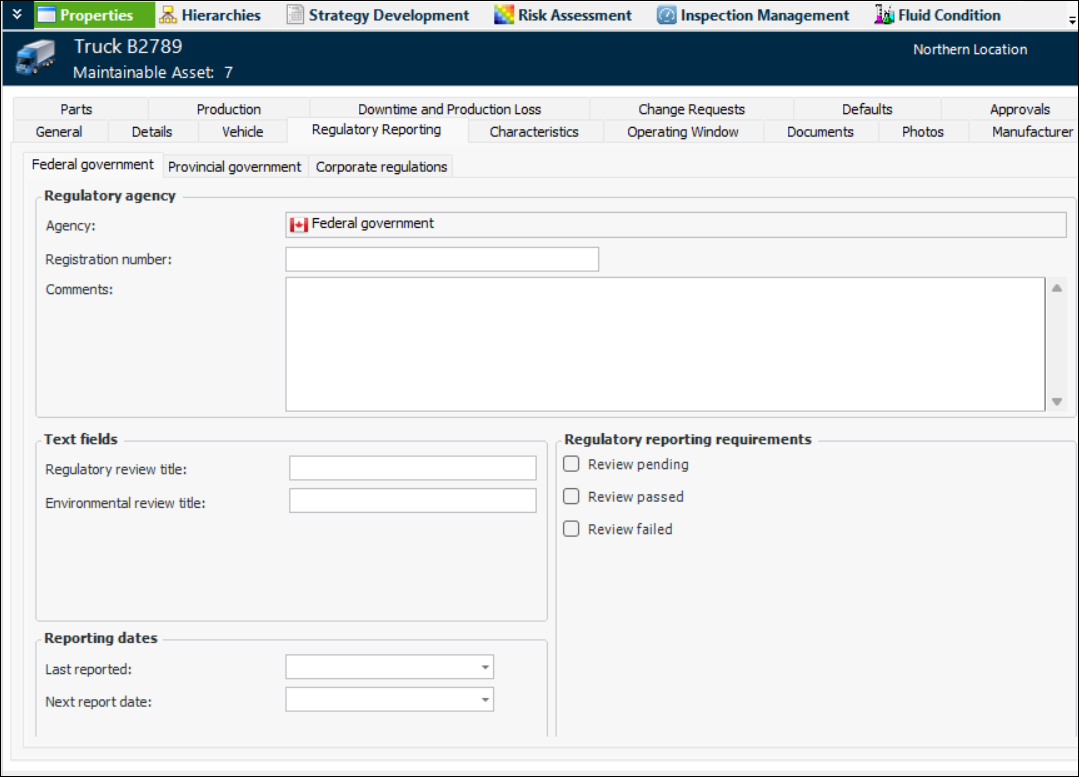
Here is an example of an Asset window where regulatory information is recorded. Note that the text fields, check boxes, and dates that you set up on the regulatory agency are available.

To Create Regulatory Agencies

1.
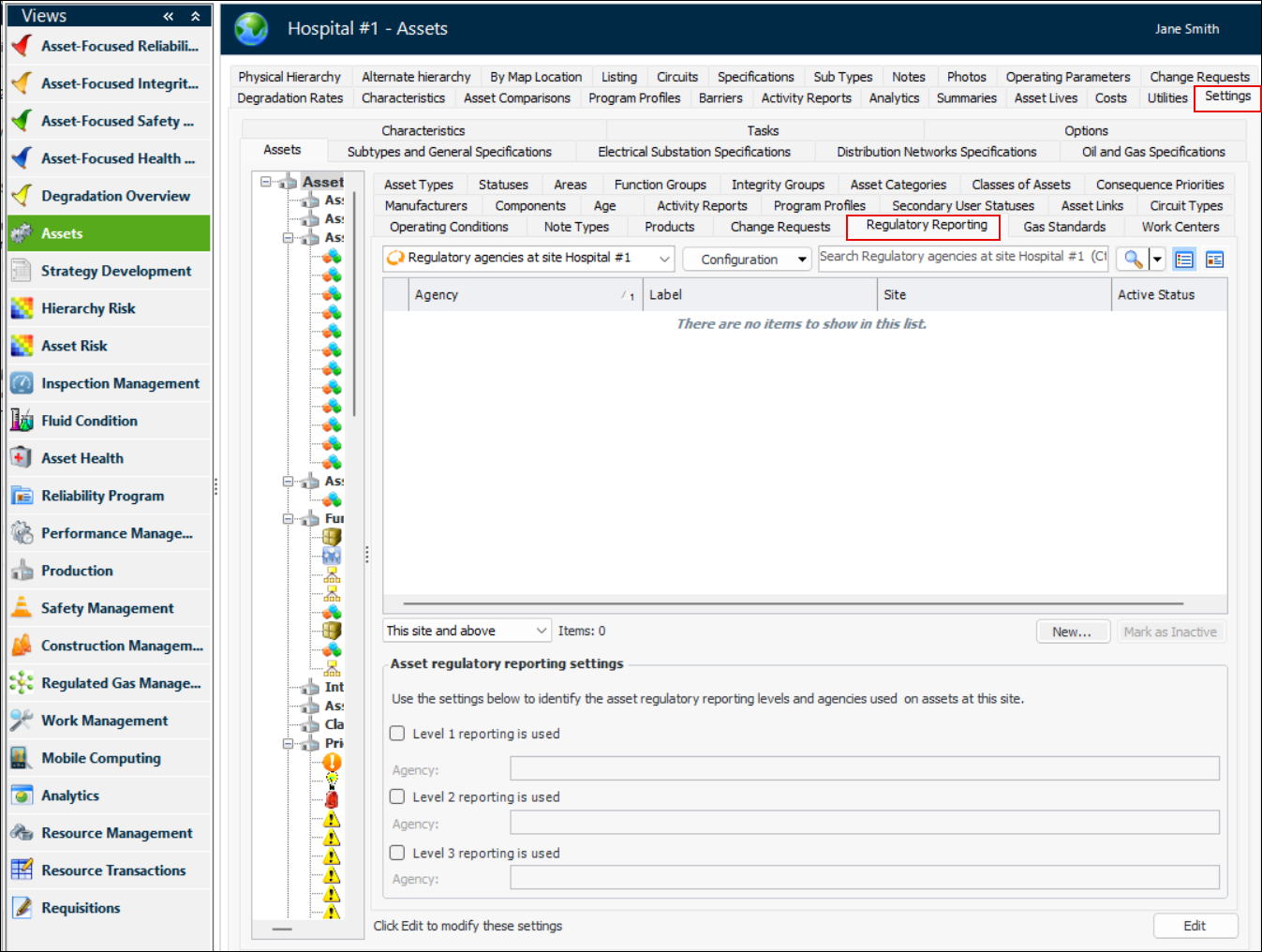
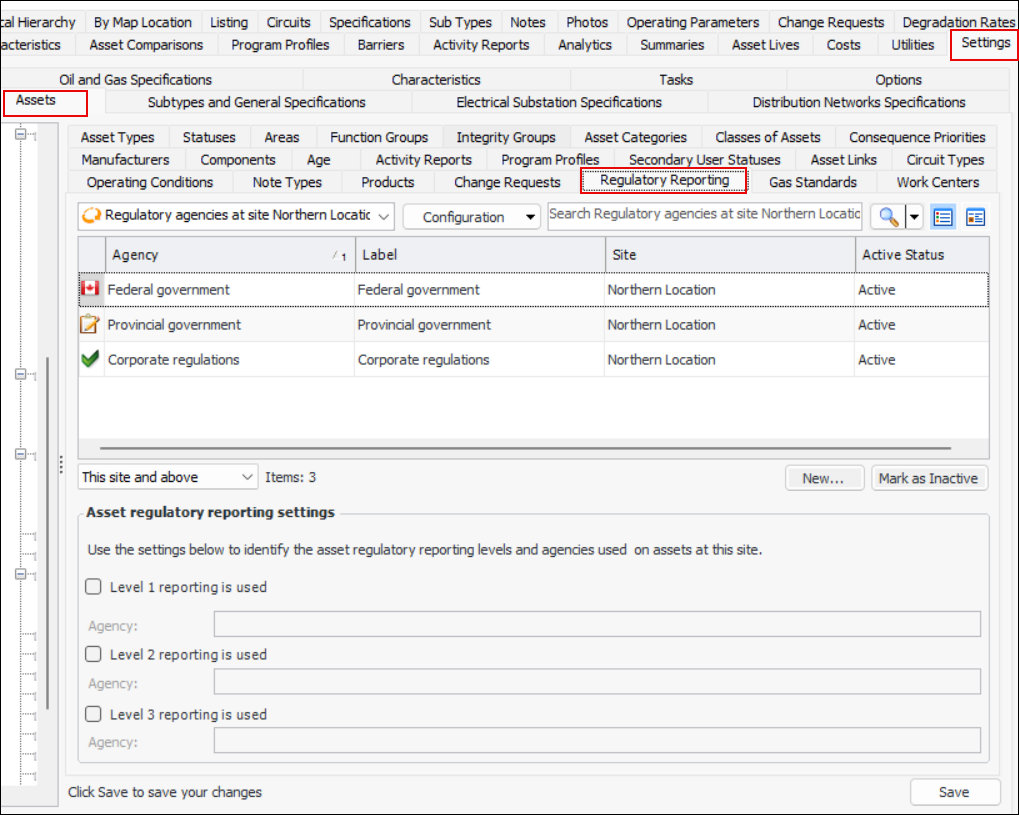
In the Site window, Assets view, select the Settings and Asset tabs.
2.
Select the Regulatory Reporting tab.
3.
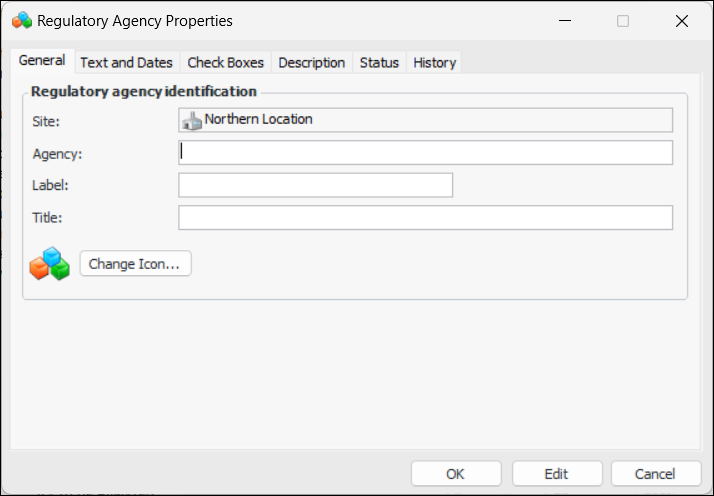
For each of the agencies that you wish to add, click New. The Regulatory Agency Properties dialog appears:
4.
5.
6.
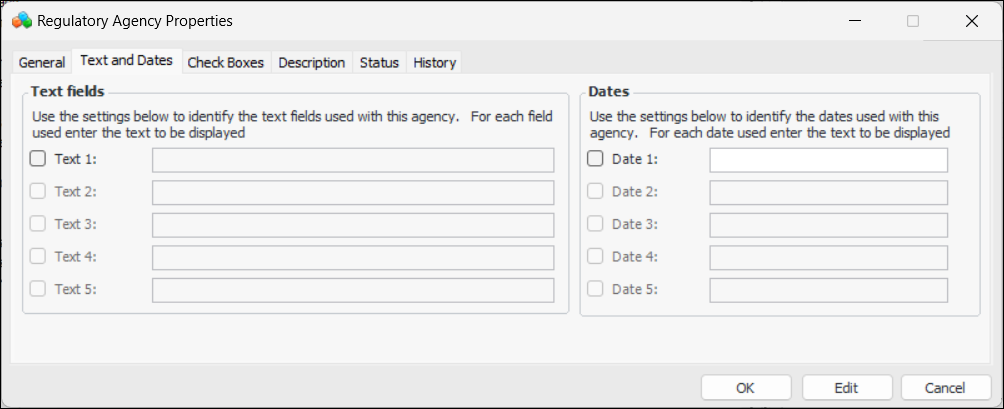
Select the Text and Dates tab.
7.
8.
9.
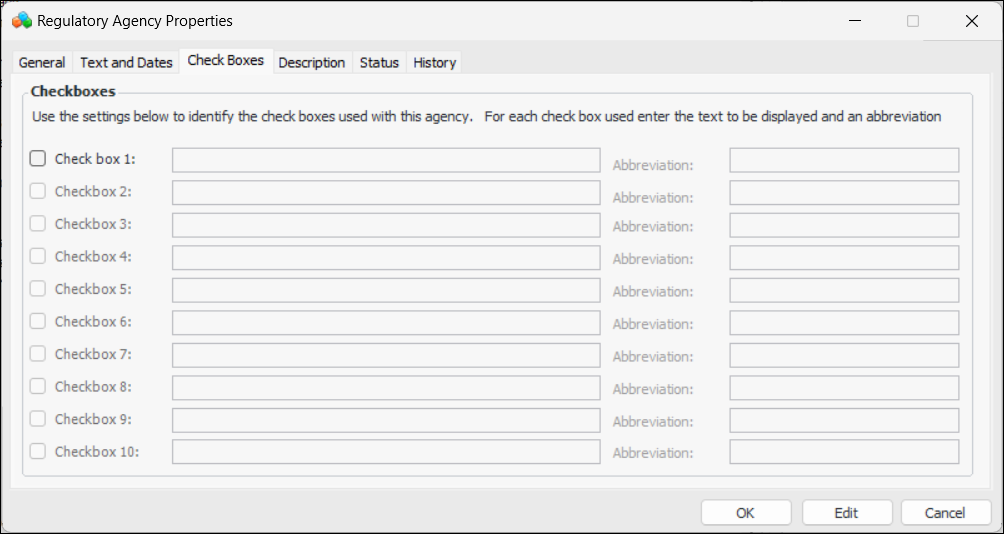
Select the Check Boxes tabs.
10.
11.
Select the Description tab to enter additional information.
12.
When you are finished, click OK to save the information and close the dialog.

To Identify Regulatory Levels for the Site

1.
In the Site window, select the Assets view, Settings tab, and Assets tab.
2.
Select the Regulatory Reporting tab. Click Edit to modify the settings. The Edit button is replaced by Save.
3.
In the Asset regulatory reporting settings area, select an agency for each of the levels appropriate for your organization.
4.
Click Save to update the site’s settings.
When regulatory agencies have been defined, you can then assign them to asset types.

To Update an Asset Type with Regulatory Information
1.
In the Site window, select the Assets view, Settings tab, and Assets tab.
2.
Select the Asset Types tab.
3.
4.
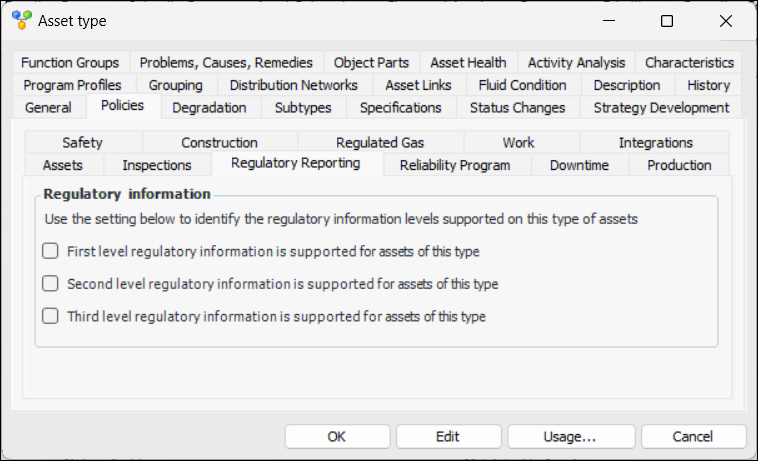
In the Asset Type window, select the Policies tab and then the Regulatory Reporting tab.
5.
Select the levels of regulatory information required for assets of this type. The Asset window will display the Regulatory Reporting tab, which contains one tab for each of the agencies supported for the site and the asset.
6.