|
Changing or Assigning the Parent Asset for Multiple Assets
To Change or Assign the Parent Asset for Multiple Assets
1.
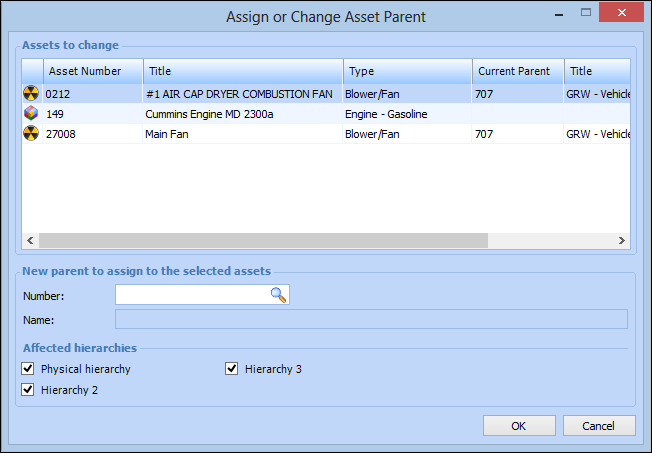
2. Select each of the assets that you want to change or assign to a parent asset, then right-click and click Change Parent Asset. The Assign or Change Asset Parent dialog appears, for example:
6. When you are finished, click OK. The selected assets are updated.