|
Copying Assets
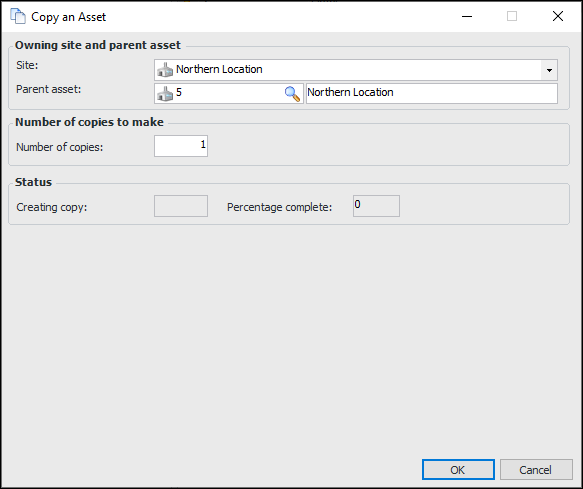
When you copy an entire asset hierarchy or an assembly, APM copies all of the selected assets and their properties, their child assets, asset indicators, standard jobs, resources, parts lists, and documents. In addition, you can choose to copy any installed components to the new hierarchy or assembly.When you copy a single asset, APM copies the asset and its properties, asset indicators, standard jobs, resources, parts lists, and documents, but it does not copy the children of the asset.To Copy an Asset
1. Select the site’s Assets view and then the tab that shows your physical hierarchy.
2.
4. If you are copying a component location with an installed component, you can copy the component as well. Select Yes, component installed at this location.
5. If you are copying an installed component, you can have the component’s location copied as well. Select Yes, copy the location where the component is installed.
6. Enter the number of copies, and click OK. The system creates and opens a new asset record. By default, the new asset has all of the properties of the asset that you copied.To Copy an Assembly
1. Select the site’s Assets view and then the tab that shows your physical hierarchy.
2.
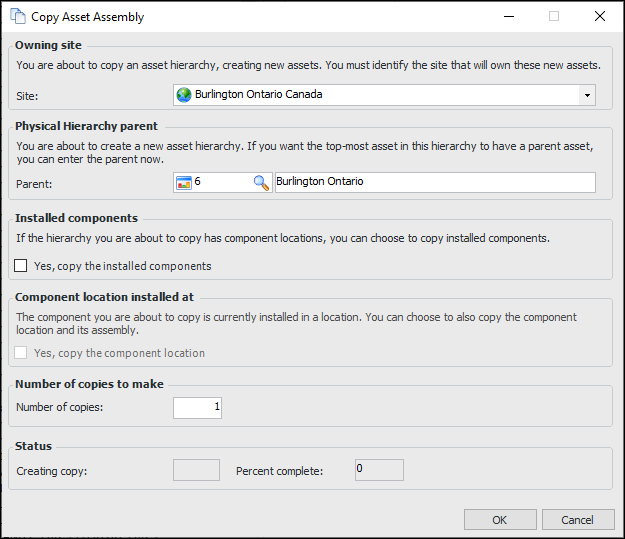
3. Select the site that will own the new assembly in the Site box. You can also select a parent asset within the parent site in the Parent box.
4. If the hierarchy you are copying has locations with installed components, you can have the installed components copied as well. Select Yes, copy the installed components. If you do not copy the installed components, only the locations will be added to the new assembly.
5. If the assembly that you are copying is installed in a component location, you can have the location copied as well. Select Yes, copy the component location.
6. Enter the number of copies, and click OK. The status indicator shows the progress of the copy. Copying an asset and all of its children can take a few minutes, depending on the number of assets being copied. APM opens the top asset in the new assembly.
7.To Copy an Entire Hierarchy to a New Site
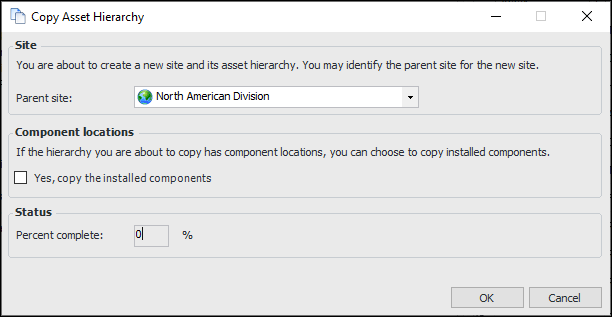
2. Right-click the site asset that you wish to copy and select Copy Asset Hierarchy. The Copy Asset Hierarchy dialog appears.
3. Select a parent site for the new site in the Parent site area of the dialog.
5. When you are finished, click OK. The status indicator shows the progress of the copy. Copying an entire site hierarchy can take a few minutes, depending on the number of assets being copied. APM opens the new site asset.
6.