
Applying Run-time Settings to a Filter Criterion
You can determine the run-time behavior of a filter criterion that has been applied to a table configuration.
Some filters are fundamental to a table configuration. You can protect a filter from being removed via the Remove Filter method by identifying the filter criterion as such.
This topic explains how to define run-time settings for a filter criterion in a table configuration.

To Apply Run-time Settings to a Filter Criterion

1.
2.
Click Configuration and then Open. The Configuration dialog appears, open to the Columns tab.
3.
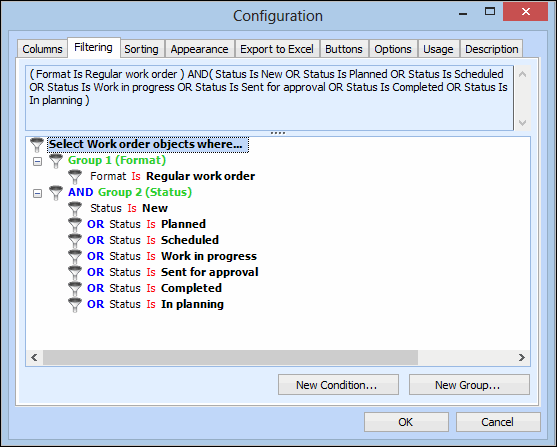
Select the Filtering tab. The upper area displays the syntax of your filter as you add conditions and groups. The bottom area displays the filter groups and conditions in a hierarchy. For example:
 
4.
5.
Select the Run-time Settings tab.
6.
Select This criterion cannot be cleared at run-time to prevent the filter from being removed if either the Remove Filter, This column or All Columns method is selected.
7.
When you are finished, click OK to save your changes and close the Filter Criterion dialog.
8.