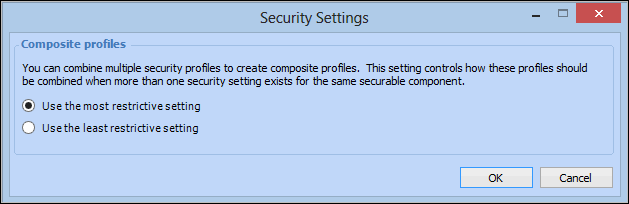
Concepts Tasks Applying Composite Profile Security Settings When combining security profiles in APM, you can set the default security for profiles when more than one security setting exists for the same securable component. This topic explains how to apply the default security settings to composite profiles. To Create a Security Profile 1. From the Site window, click on the tool bar. The Enterprise window appears. 2. Select the Security view and then the Security Profiles tab. 3. Click Security Settings. The Security Profile window appears. 4. Select the setting option that reflects the type of security setting to be applied, when profiles are combined. Your options are: • Use the most restrictive setting • Use the least restrictive setting 5. Click OK to save your changes. All newly combined profiles will use this setting.



 on the tool bar. The Enterprise window appears.