Viewing a Document’s Approval Status

In APM, documents can have the following approval statuses. The status icons are displayed in lists of documents.
Each approval status can be assigned an icon to provide a visual cue to the current status for documents that require approval.
Note: Project statuses are more flexible than approval statuses for other documents. The statuses for projects at your site might not match the statuses described above.

To View a Document's Approval Status

1.
2.
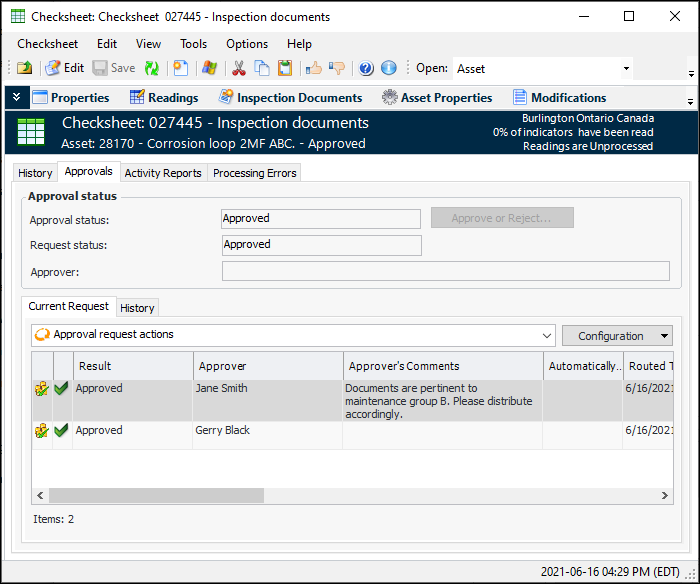
Select the document’s History view, Approvals tab, and then the Current Request tab. This tab shows the current approval status and the approvers for the document. For example:
3.
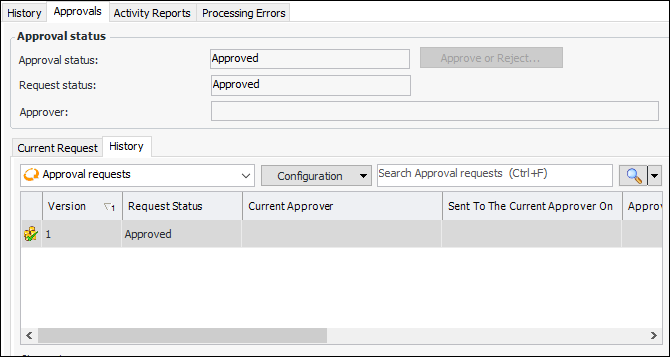
Select the History tab to view audit information for the document.