Setting up Automatic Approvals

You can specify that low-value requests be automatically approved. Any request that is equal to or less than a specified threshold amount is automatically approved when it is sent to the route for approval. The route’s approvers do not have to review and approve it. Alternatively, you can set the route so that all requests must be reviewed by an approver, regardless of the amount of the request.
Note: Approval requests with a zero or no value estimate are not eligible to be automatically approved. Zero or no value requests are always routed for approval.
Tip: Checksheets (which are not associated with dollar amounts) can also be automatically approved. Set up a route to approve checksheets and set the approval threshold to any amount. Checksheets with checksheet types that use the route will have their approval requests approved automatically.

To Set Automatic Approvals

1.
2.
3.
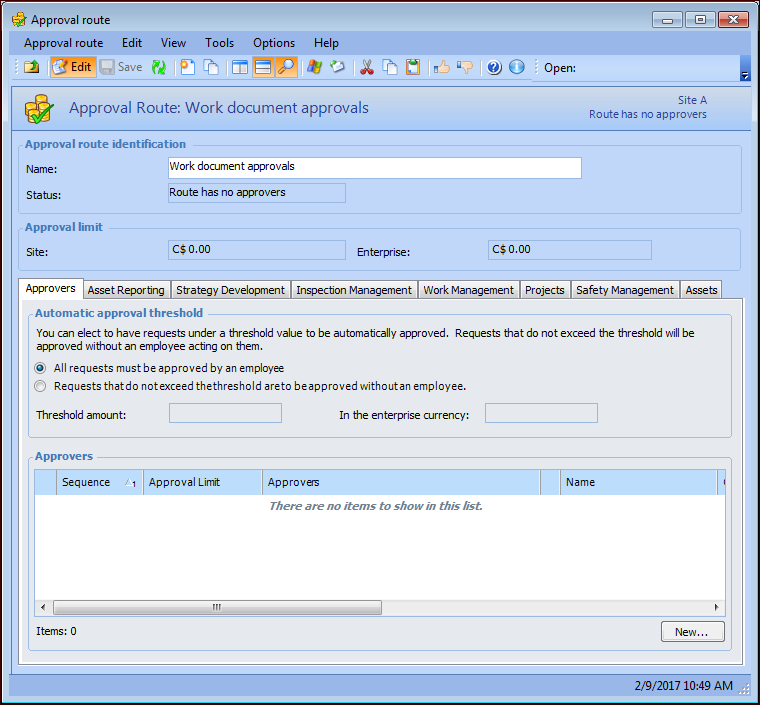
Select Requests that do not exceed the threshold are to be approved without an employee so that requests with a value up to the automatic approval threshold limit are automatically approved.
4.
Enter the threshold amount. The In the enterprise currency box automatically shows the amount in the enterprise currency. If an approval request comes from another site (with a different currency), APM uses the enterprise currency to compare the request and threshold amounts.
5.