
Returning an Approval Request Without Approval

An approver does not always approve a request. The request might be returned to the originator for additional information or simply rejected. When an approver rejects a request, the status is changed to “Approval Rejected”, and the document does not continue to the next approver on the route. The originator can revise the request and re-submit it for approval or cancel the request.
A re-submitted request is routed through the complete approval process. Any approvers who approved the request the first time must approve it again. This ensures that the request has not significantly changed without the approver’s knowledge.

To Return an Approval Request Without Approval
1.
On the site’s Approvals view, select the Waiting to be Approved tab. By default, this tab displays requests that are waiting for your approval.
Tip: If a My Desk view has been defined for approvals and added to your employee record, you can select the My Desk view and the appropriate tab to see the approval requests assigned to you.
2.
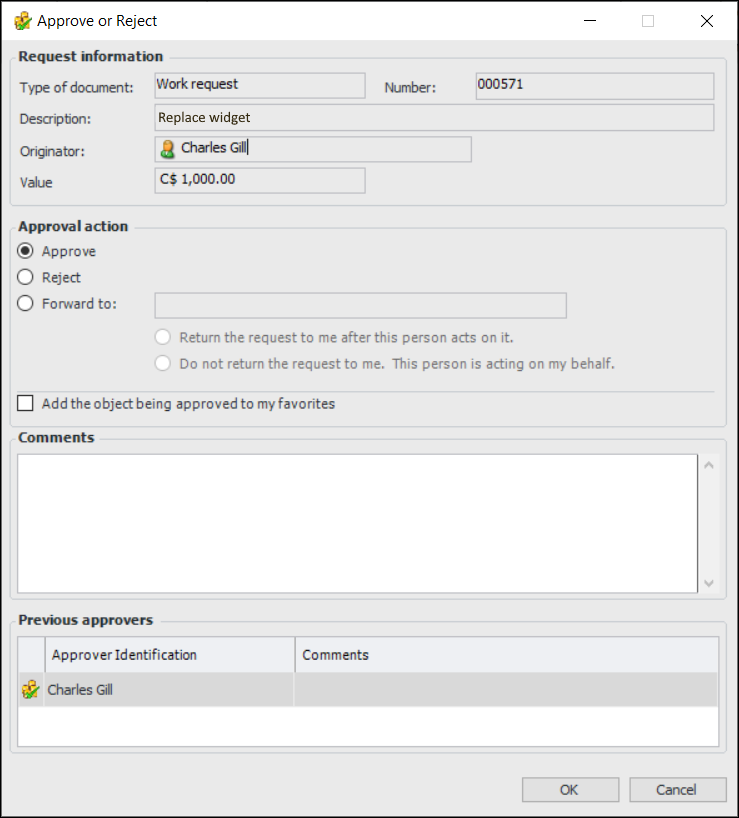
Double-click the request to open the Approval Request Details dialog. Click Approve or Reject. The Approve or Reject dialog appears.
3.
Click Reject. In the Comments box, you can type a note to the requestor.
4.
Click OK. The request is returned to the sender.