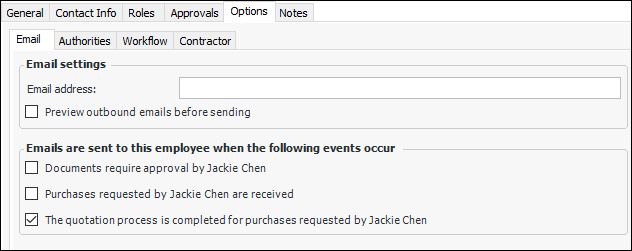
Concepts Tasks Settings Setting up an Approver for Notification Emails An approver can be notified by email when a request for approval is sent. The email includes a short description of the approval request and a shortcut to the request. To Set up an Approver for Notification Emails 1. Select the site’s Personnel view, Employees tab, and then the Listing tab. 2. Double-click the employee. The Employee window appears. 3. Make sure that editing is enabled. 4. Select the Options tab, and then the Email tab. 5. Enter the Email address and select Documents require approval by [employee name]. 6. Save and close the employee file.



 is enabled.