
|
Adding a Manufacturer’s Warranty
To Add a Warranty to a Manufacturer
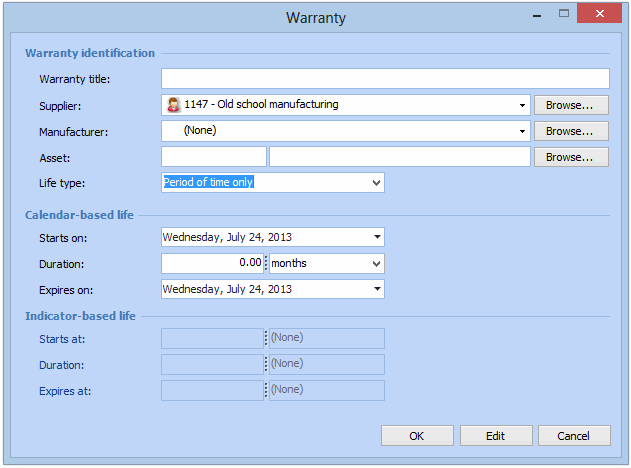
1. Open the manufacturer record. To view a list of manufacturers for the site, from the site’s Administration menu select Maintenance Settings, and then Asset Management. The Asset Management Settings dialog appears. Select the Manufacturers tab. Double-click on any manufacturer to open the record.
2. On the Manufacturer dialog select the Warranties tab.
3. Click the New button. The Warranty window appears.
4.
5. If the warranty is also linked to a supplier, select the supplier from the Warranty supplier list.
• Period of time only: The warranty covers only a specific period of time (for example, two years).
• Units only: The warranty is valid for a defined number of units (for example, 100,000 km). If the asset has a primary indicator, use the same units as used by the indicator.
• Both a period of time and units: The warranty is valid for a specific period of time and a defined number of units (for example, 100,000 km and two years). If the asset has a primary indicator, use the same units as used by the indicator.
8. Record the Conditions under which the item is warrantied.