Adding a Task to a Schedule When You Know the Work Order Number

If you already know the work order number for the task that you want to add to the schedule, there is an easy way to make a schedule entry for the task.

To Add a Task When You Know the Work Order Number
1.
2.
On the Worksheet view, select the Entries tab.
3.
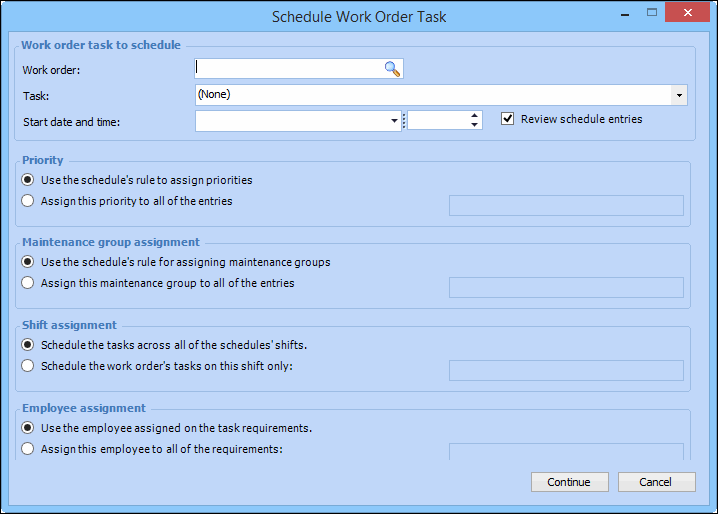
Click New. The Schedule Work Order Task dialog appears.
4.
Browse or enter the Work order number, and then select the appropriate task from the Task list.
5.
Enter the Start date and time.
6.
You can choose to assign employees to the tasks. If you have already assigned employees on the work order, select Use the employee assigned on the task requirements. You can pick one employee to assign all the tasks to. If you select the second option, select an employee from the list. If you want, you can leave the employee assignments blank. You can add or change the assignments when you review the schedule.
7.
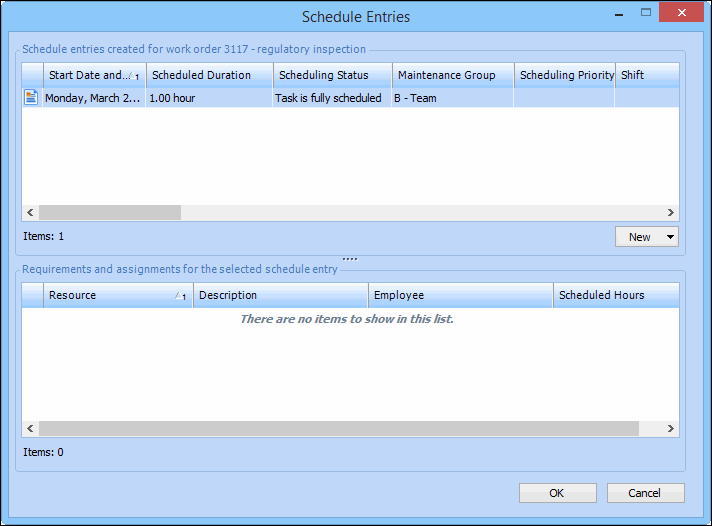
Click Continue. If the Scheduling priority rule is selected, the Schedule Entries dialog appears, allowing you to view and add schedule entries, and view requirements and assignments for the selected schedule entry. For example:
8.
Click OK. The entries and any requirements are added to the schedule.