Acknowledging a Service on a Purchase Order

A service acknowledgment transaction allows you to record the fact that a purchased service has been performed. Service acknowledgment transactions are used with service type resources or non-catalog items in the same way purchase receipt transactions are used for materials. You can create a service acknowledgment for any purchase order line that references a service or non-catalog item.
You can record a service acknowledgment on a purchase order line, or when you are reporting activity against, or closing a work order or task. If approvals are required, the work order and/or purchase order line must be approved before the service can be acknowledged as performed.
This topic describes creating a service acknowledgment from a purchase order. It may be more efficient to acknowledge multiple purchase order lines using a receiving report. Please see Receiving Purchase Orders and Blanket Releases.
Note: If you acknowledge a single purchase order line using this method, you will not be able to print this receipt transaction on a receiving report.

To Enter a Service Acknowledgment Transaction From a Purchase Order
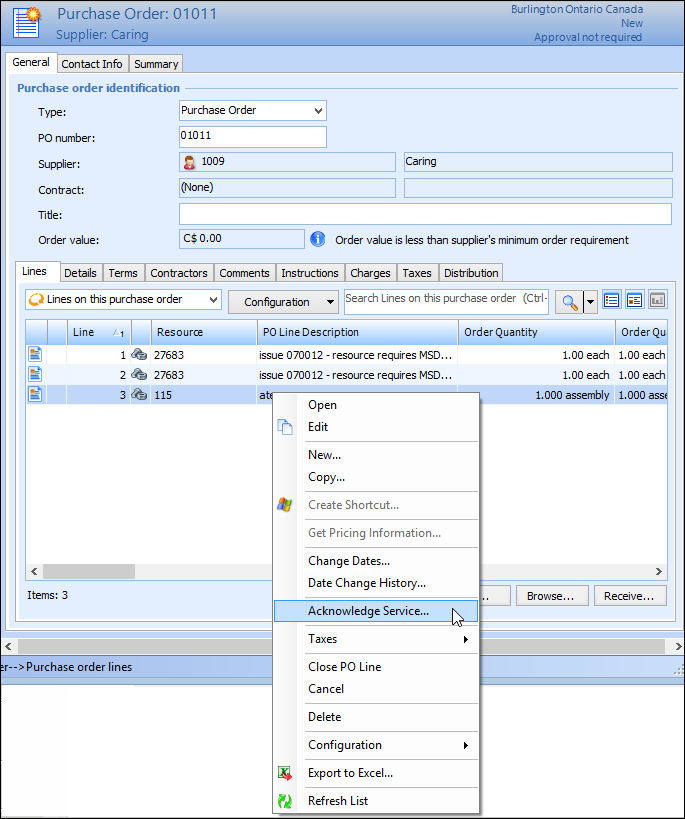
1.
2.
3.
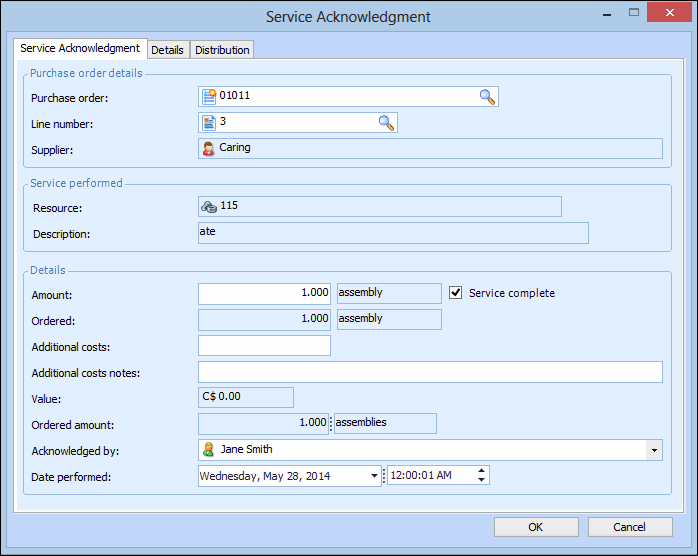
The Service Acknowledgement dialog appears. Make any necessary changes, and click OK. A service acknowledgment is posted for the transaction.