Defining Properties to Display on Interop Work Documents
You can add user fields to requests for work, interop work requests, solution packages, and interop work orders. You can define up to 10 strings, five dates, and five check boxes. The properties are displayed in work document window’s Details tab.
Setting up the properties involves the following steps:
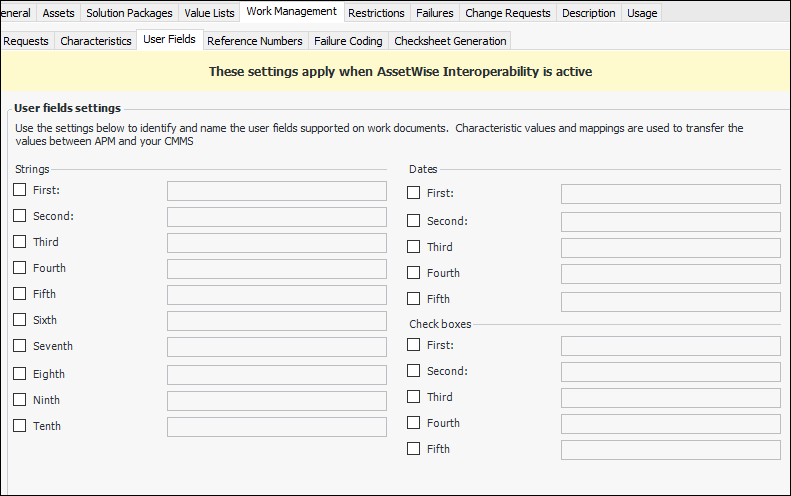
In the Site Interoperability Profile, select the Work Management tab and the User Fields tab. For example:
Select the strings, dates, and check boxes you need and provide labels for them in the text boxes.
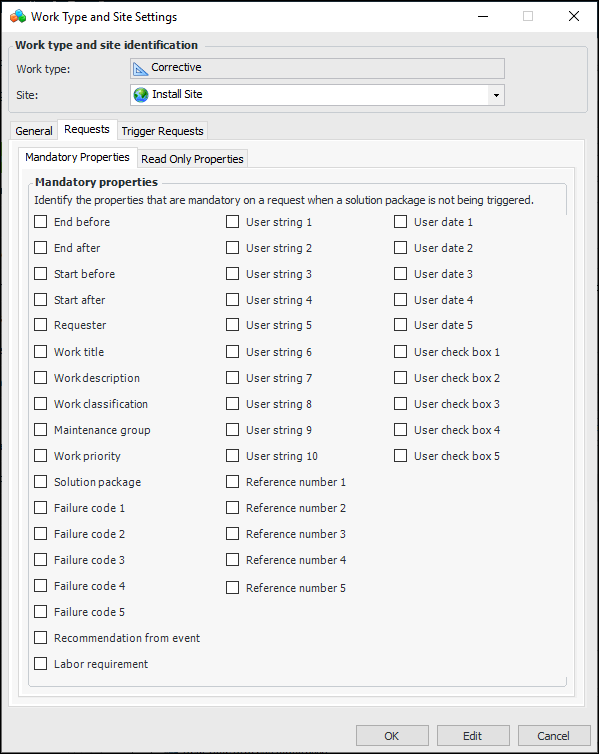
Set the options for requests for work that do not reference a solution package and those that do (select the Trigger Requests tab).
For more information, see Setting up Site-Specific Work Types.
For more information, see Setting up Characteristic Mapping for Interop Work Documents.
Consult with your Bentley team to update interoperability and middleware components to extract the properties from request for work XML messages and populate the appropriate property of the CMMS object. For inbound interop work requests and work orders, mappings will need to be defined to extract the property from the CMMS to include in the data conveyed to APM.
Tip: To use this functionality in APM, you must enable feature 48. In the Enterprise window, select the Features view and the Enabled Features tab. Click Browse, select “Support for user-defined fields on AssetWise Interoperability Work Documents”, and click OK. If APM is running as a smart client, click Refresh Enabled Features on the server. Then restart the client to use the functionality.