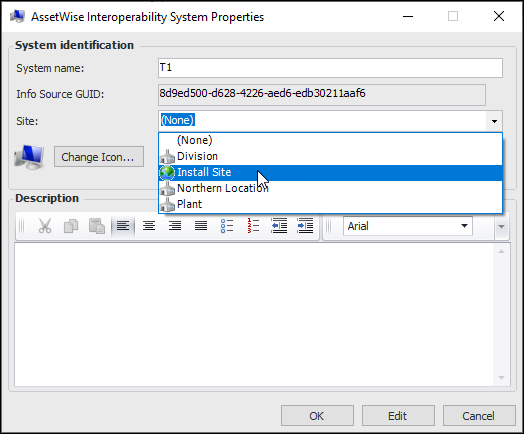
|
Setting up AssetWise Interoperability Systems
Tip: If you wish to integrate more than one CMMS instance and you expect that users will manually create value list items (work types, for example), set up one or more value list controls and assign them to sites. For more information, see Setting up Site Value Lists.To Set up an AssetWise Interoperability System
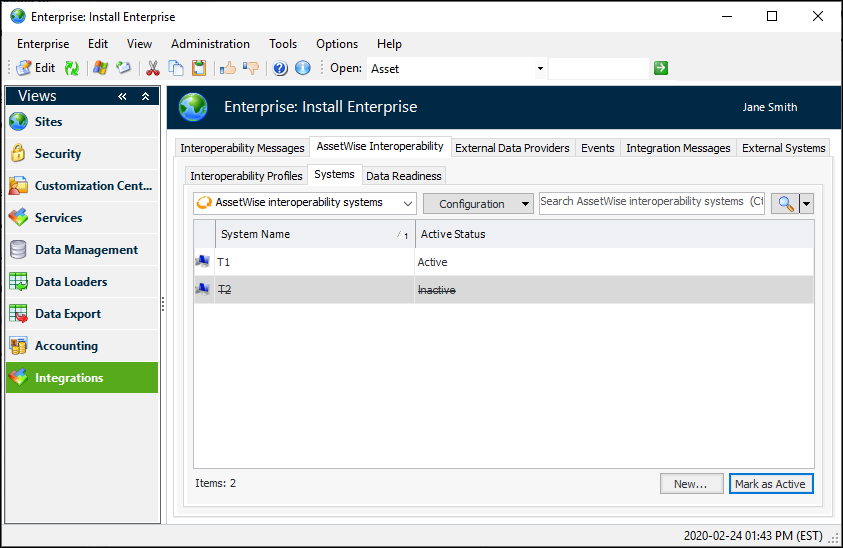
1. On the Enterprise window, select the Integrations view, the AssetWise Interoperability tab, and the Systems tab. This tab displays the active and inactive systems for your implementation. For example:
2. Click New. The AssetWise Interoperability System Properties dialog appears.
5. You can select a different icon for the system and add a description. When you are finished, click OK to save the system and close the dialog.