|
|


Linking Checksheets and Interop Work Requests
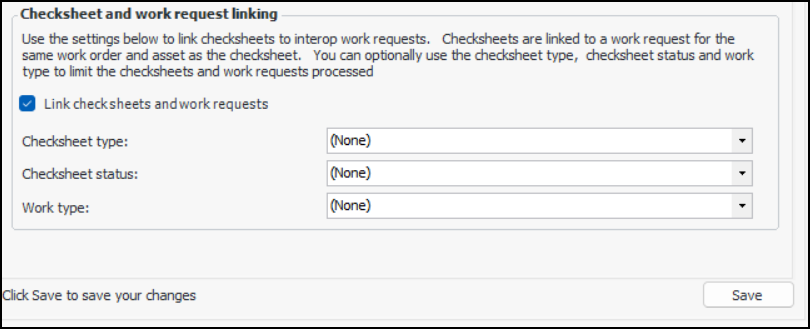
Note: This functionality is generally available in APM. To use it, you must first enable feature 69. In the Enterprise window, select the Features view and the Enabled Features tab. Click Browse, select “Ability to link checksheets and Interoperability work requests”, and click OK. If APM is running as a smart client, click Refresh Enabled Features on the server. Then restart the client to use the functionality.Checksheets that have been matched will have their work request references set to the matching interop work requests. In the Checksheet window, you can see this reference in the Properties view, Source tab.To Set up APM to Generate Links
Generating Links
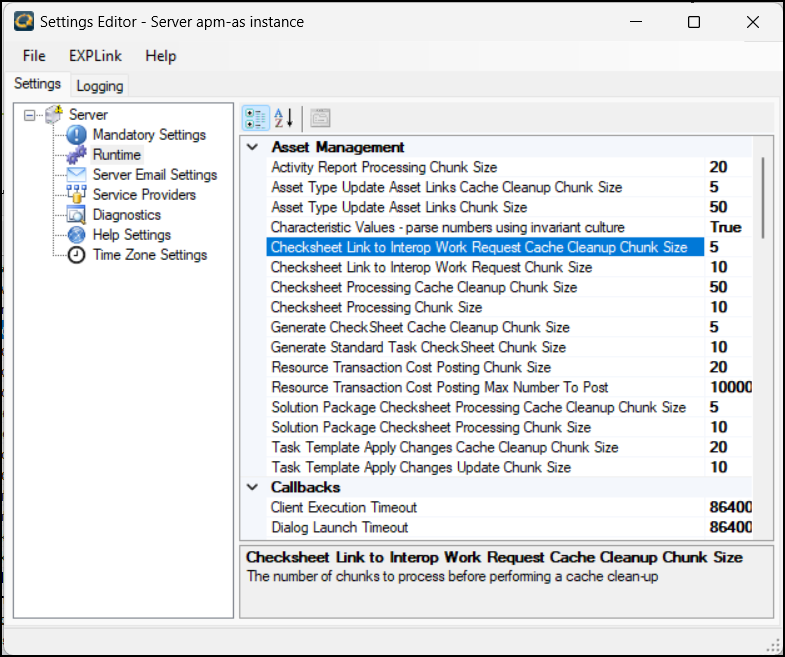
To manually run the process, on the Site window, click the Tools menu, Inspection Management, and then Link Checksheets to Work Requests.To have the process run on a regular basis, set up the Link Checksheets to Work Requests scheduled action. For more information, see Creating a Scheduled Action.To Adjust the Performance of the Process