
|
Transferring Assets
To Transfer Assets
1.
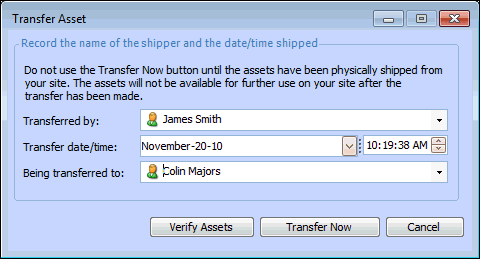
2. Right-click the document that describes the assets that you want to transfer, and select Transfer Assets. The Transfer Asset dialog appears.
4. If you have not yet verified the assets, click Verify Assets. APM verifies if the assets can be transferred. If there are issues with the transfer, a warning message appears. If there are no issues, APM displays a message saying that the assets can be transferred.
5. Click Transfer Now. APM asks you to confirm that you want to transfer the assets now. To transfer the assets now, click Yes. To cancel, click No.