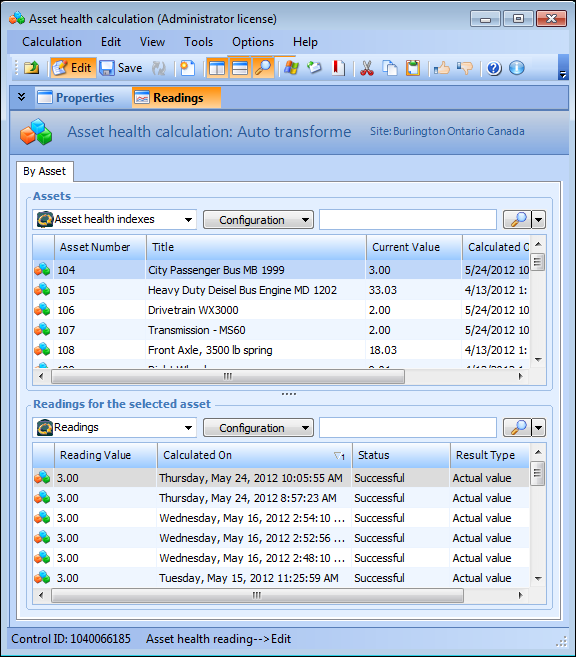
Concepts Tasks Settings Viewing Asset Health Calculation Readings for an Asset Details about any asset health asset used in an asset health calculation can be viewed. This topic describes how to view details of an asset health calculation. To View Asset Health Calculation Readings for an Asset 1. Open an asset health calculation and select the Readings view. 2. The table at the top lists all of the asset health index readings sorted by asset. Select an asset in the table, and all readings for the selected asset appear in the table at the bottom. 3. To view details about a specific reading, double-click to open a reading in the table. For more information, see Viewing Asset Health Index Readings. 4. When you are finished viewing the reading, close the Asset Health Calculation window.