Testing an Asset Health Calculation

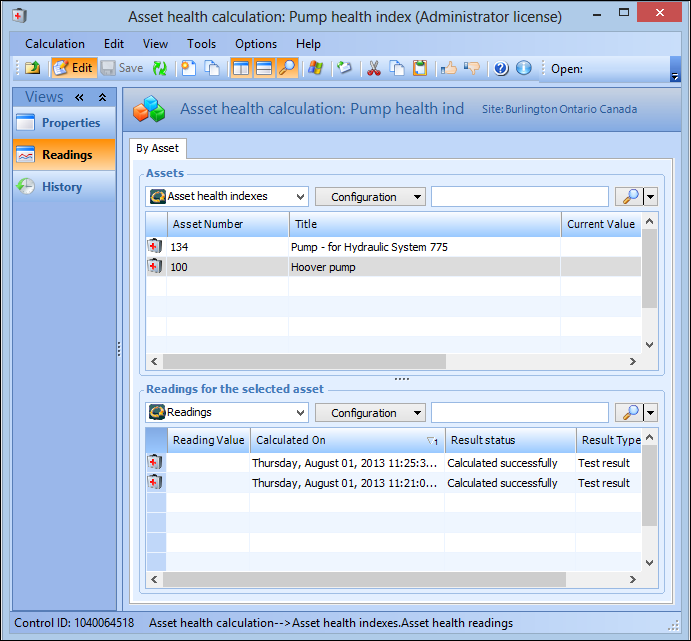
Asset health indexes are created from asset health readings and readings do not exist unless a calculation has been generated. Therefore, you might want to test a calculation against an asset before a reading is generated. Testing an asset health index calculations produce test asset health readings. Test readings and actual readings are displayed on the asset health calculation’s Readings view.
Note that if you want to delete a calculation, you must also delete its test calculations first.
This topic describes how to test an asset health calculation and view its readings.

To Test an Asset Health Calculation

1.
From the site, select the Asset Health view, then the Calculations tab.
2.
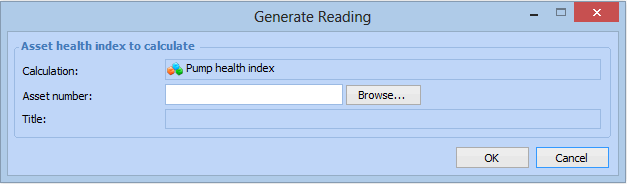
Double-click to open a calculation from the list and select Tools, then Test Calculation. The Generate Reading dialog appears.
3.
Click Browse. The Asset Selector dialog appears. Select one of the following tabs:
Asset Hierarchy: to select an asset from the hierarchy
Asset Listing: to select an asset from the table of assets sorted by asset number.
4.
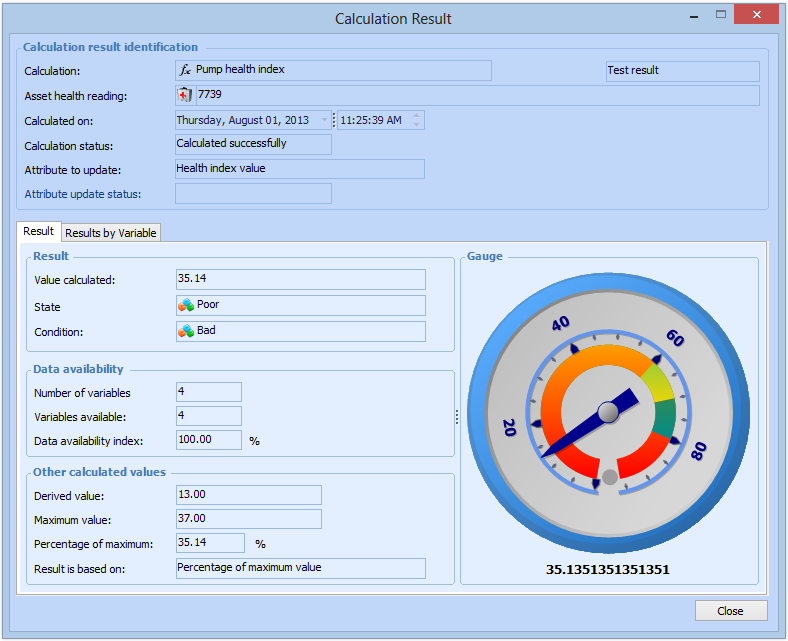
Double-click the asset for which you want to test the calculation and click OK. The Calculation Result dialog appears, displaying details of the result of the calculation, for example:
5.
When you are finished viewing the test result, click Close to return to the Asset Health Calculation window.
6.
To view all test and actual readings by asset, select the Readings view and select the asset in the table at the top. All readings for the selected asset are displayed in the table at the bottom. For example: