Setting up Calculation Groups and Classifications

You can define calculation groups and classifications according to the needs of your organization and then apply the groups or classifications for the purpose of arranging and filtering them. For example, you can create a group for all pump-related calculations. Assigning asset health calculation groups and classifications is optional.
This topic explains how to create asset health calculation groups and classifications.

To Create an Asset Health Calculation Group

1.
From the Site window, select the Administration menu, Asset Health Settings, and then Asset Health. The Asset Health Management Settings dialog appears.
Tip: You can also select the Asset Health view, Settings tab, Asset Health tab, and then the Asset Health Settings node in the tree.
2.
Select the Calculation Groups tab. This tab displays a list of asset health calculation groups for the enterprise.
3.
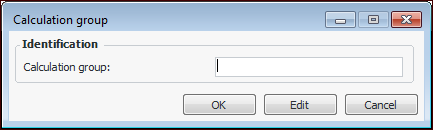
Click New. The Calculation Group dialog appears.
4.
In the Calculation group box, enter a short description for the calculation group.
5.
Click OK to save the changes.

To Create an Asset Health Calculation Classification
1.
From the Site window, select the Administration menu, Asset Health Settings, and then Asset Health. The Asset Health Management Settings dialog appears.
Tip: You can also select the Asset Health view, Settings tab, Asset Health tab, and then the Asset Health Settings node in the tree.
2.
Select the Calculation Classifications tab. This tab displays a list of asset health calculation classifications for the enterprise.
3.
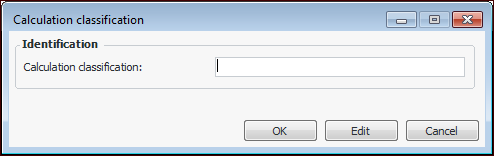
Click New. The Calculation Classification dialog appears.
4.
In the Calculation classification box, enter a short description for the calculation classification.
5.
Click OK to save the changes.