Creating a Calculation Record

Asset health calculations are reusable calculations that select assets for reporting and create asset health indexes. These indexes are a numerical score applied to assets representing their viability, and are displayed in asset health reports.
Calculations can be simple or complex. Each calculation can be composed of multiple calculation variables; for example, a simple calculation could determine the age of the asset at the time the reading was taken. Another could determine how many times an asset has received a specific indicator alarm within the past year. Calculations that are executed as part of the asset health report are stored in the asset health report definition.
A maximum of five calculations can be used in each report definition, and each calculation can include multiple variables that support the use of minimum and maximum limits, factor tables, and weighting.
Each calculation can have multiple states that apply descriptive conditions to numeric ranges. This allows each calculation to have its own definition of what is considered good, fair, bad, and so on. The value of the calculation result determines the state of the asset health index. For example, one calculation that results in the range of zero to 10 could be assigned a state of “poor”, and another calculation must have a result of zero to 50 to be considered “poor”.
Calculations can also be assigned to groups and classifications to assist in organizing or arranging the calculations.
You can set the order in which calculations are executed in the report definition. You can also select a primary calculation and use it on asset health sidebar charts.
This topic describes how to create an asset health calculation record and directs you to related topics.

To Create a Calculation Record

1.
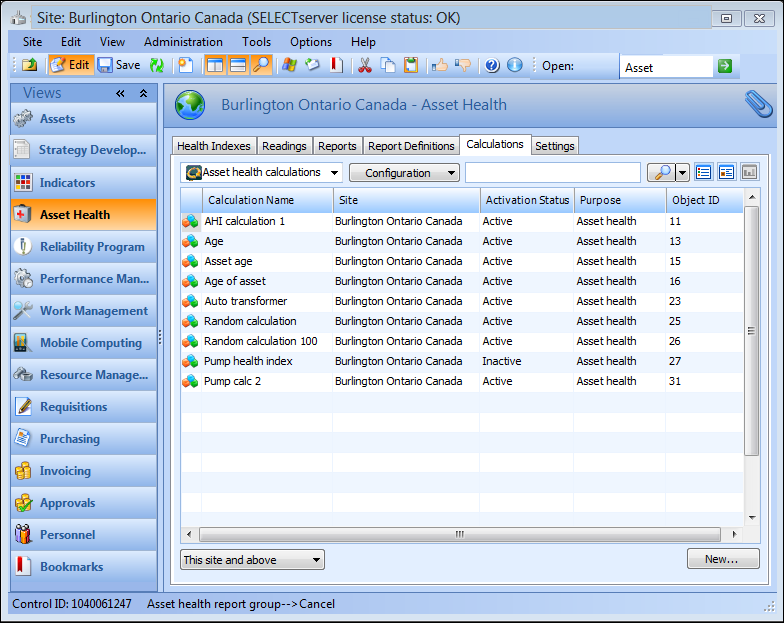
On the Site window, select the Asset Health view and then the Calculations tab. By default, this tab lists all asset health report calculations for this site and above.
Tip: You can also create calculations from the Asset Health Report Definition window, General tab.
2.
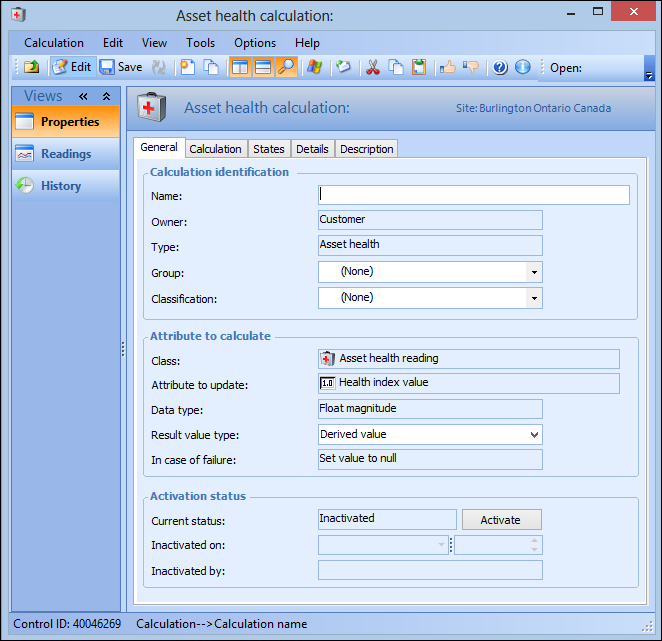
Click New. The Asset Health Calculation window appears.
3.
On the Properties view, General tab, enter the following information:
4.
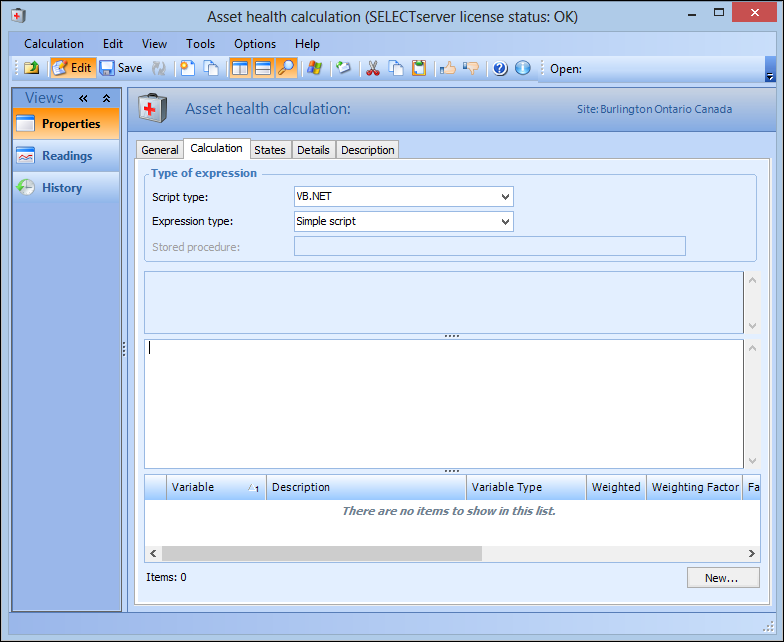
Select the Calculation tab.
5.
VB.NET – Inputs and functions defined on the Calculation tab can be used to create a formula that is calculated at run time. This is the default option
C# – Inputs and functions defined on the Calculation tab can be used to create a formula that is calculated at run time
Stored procedure – The expression is provided in a stored procedure that receives its inputs at runtime and returns a value
6.
With the Complete class option, a starter script template is provided automatically, which you can edit as needed. You can also click Regenerate from Template to reset the formula to the starter script.
The template scripts include DebugData statements that you can augment to output trace messages when the Check (Test) or Check (Live) method is invoked to test the calculation.
Tip: You can view the template scripts by opening the Enterprise window, clicking the Administration menu and then Calculation options. For more information, see Defining Calculation Options.
7.
If you are entering a function, see Using Logical Operators in Calculations.
If you are using a formula, you can use three elements:
Example:
To enter a calculation that takes the average of two inputs, you would type:
The variables “Input1” and “Input2” are placeholders for data. When the calculation is evaluated, APM gets the current values of the inputs.
8.
Select the States tab to add a state to the calculation. For more information, see Creating an Asset Health Calculation State.
9.
Select the Details tab to define calculation details. For more information, see Assigning Asset Health Calculation Details.
10.
Select the Description tab to enter a description about the asset health calculation.