
Changing an Asset Health Report Status

An asset health report status determines what can and cannot be done to an asset health report, such as allowing the report to be printed, deleted, marked as complete, or regenerated. The status of a report is displayed in the banner of the report window.
From time to time, it might be necessary to change the status of an asset health report.
This topic describes how to change the status of an asset health report.

To Change an Asset Health Report Status
1.
On the Site window, select the Asset Health view and then the Reports tab. By default, this tab lists all published asset health reports for this site and below.
2.
3.
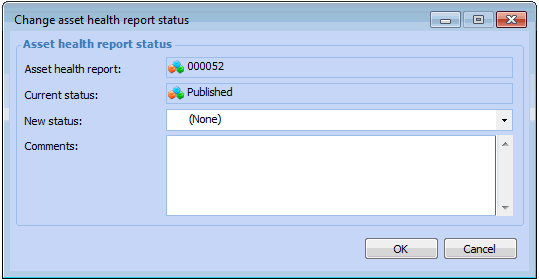
Select the Tools menu, then Change Status. The Change Status dialog appears.
4.
5.
6.
7.