The asset’s condition value appears in several places in APM, including the Asset window, Properties view,
General tab. You can also review and compare asset conditions in the following locations:
The Assets tab lists the analysis assets. You can select from these configurations:
Select the Summary tab to view a list of analysis criteria. Select a criterion to see a chart summarizing the assets’ scores.
Select the Criteria tab to view information using the Criteria scores, Scores by criteria, and Asset scores configurations.
Open the asset and select the Properties view,
General tab. The
Classification area displays the asset condition:
Open the asset and select the Asset Health view and the
Condition Analyses tab. The table lists the analyses for the current asset only, the asset and below, or the asset and above.
The Analyses tab lists the analyses for the current site only, the current site and below, or the current site and above.
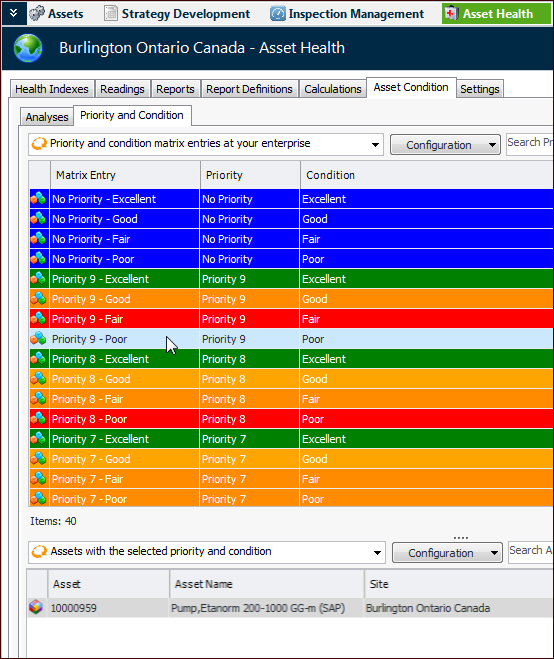
The Priority and Condition tab shows the priority and condition matrix. In the list of configurations, select “Priority and condition matrix entries at your enterprise”. Select an entry in the list to view assets with the combination of priority and condition. For example: